Best WiFi Extender by Bandwidth, Ports and Reach

Six extenders compared on published bandwidth, warranty length and physical size, with a clear winner for anyone plugging into a dorm outlet and moving out in nine months.

By Lamar CalhounUpdated 18 min read
On this page
- Best wifi extender for students at a glance
- Why three of these listings got cut on the spec sheet
- Does a wifi extender work in a dorm room at all?
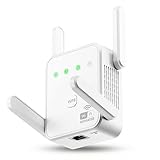
- 1. TP-Link AC1200 WiFi Extender — Best overall
- 2. TP-Link AC1900 WiFi Range Extender RE550 — Best warranty
- 3. nonser WiFi Extender, 2026 20X WiFi Booster — Best upgrade
- 4. Gorzhesua 1200Mbps Dual Band WiFi Extender — Best budget pick
- 5. Aodcaopul WiFi Extender, WiFi Repeater — Best minimal setup
- 6. Amazon eero 6 mesh wifi add-on extender — Best premium
- What the coverage number on the box actually means
- Which wifi extender for students fits a shared outlet?
- What more money buys across these six
- The verdict
- FAQ
The best wifi extender for students is the TP-Link AC1200 RE315, because it pairs 1.2 Gbps of published dual-band throughput with a single Ethernet port in a body just 4.89 x 3.5 x 2.05 in. If you already run an eero mesh network at home, the eero 6 add-on extender is the only pick here that will join it.
Here's who should stop reading. If you live in a managed dorm where IT blocks personal access points, an extender is a violation waiting to happen, and a long Ethernet run to your desk solves the problem legally. If your issue is slow speed rather than weak signal, no device here fixes it: TP-Link states plainly in its own listing that extenders improve coverage and do not increase speeds. And if the dead zone is one room away through drywall, moving the router two feet is free.
Best wifi extender for students at a glance
| Pick | Published bandwidth | Wired port | Price |
|---|---|---|---|
Best overall TP-Link AC1200 WiFi Extender |
1.2 Gbps total 867 / 300 Mbps claim |
Fast Ethernet | Check Price |
Best warranty TP-Link AC1900 RE550 |
1.9 Gbps total 1300 / 600 Mbps claim |
Gigabit Ethernet | Check Price |
Best upgrade nonser 20X WiFi Booster |
1200 Mbps claim 4 antennas |
Ethernet port | Check Price |
Best budget pick Gorzhesua 1200Mbps Booster |
1200 Mbps claim 867 / 300 Mbps claim |
AP mode wired | Check Price |
Best minimal setup Aodcaopul WiFi Repeater |
300 Mbps claim 2.4 GHz |
Ethernet port | Check Price |
Best premium eero 6 add-on extender |
Wi-Fi 6, 1,500 sq ft | Requires eero router | Check Price |



Why three of these listings got cut on the spec sheet
I shortlisted on published data alone, and three of these six nearly failed the screen. Naming the cuts first is more useful than naming the winners.
Cut one: no published warranty. The eero 6 add-on lists a model number, a weight of 0.63 lb and dimensions of 2.42 x 3.91 x 3.82 in, but no warranty term at all. It stays in the set because it does something nothing else here does. It would not be my default.
Cut two: a three-month warranty. The nonser booster publishes exactly three months of coverage. That's shorter than one semester. It survives because it's the only pick claiming four antennas at a mid price position.
Cut three: missing physical specifications. Both the Aodcaopul and the nonser listings publish no weight and no dimensions. For a device you plug into a dorm power strip, that's the specification you most want. I kept them and flagged it.
What survived the screen cleanly:
- The TP-Link RE315, with weight, dimensions, model, release year and a 2 year manufacturer warranty all published.
- The TP-Link RE550, same completeness, plus a gigabit port instead of a fast Ethernet one.
- The Gorzhesua, which publishes dimensions of 1.3 x 3.07 x 2.91 in and a 1 year warranty.
That's the real split in this field. Two listings tell you what you're buying. Four tell you a coverage number.
Does a wifi extender work in a dorm room at all?
This is the question that decides your purchase, and it has nothing to do with bandwidth.
An extender rebroadcasts a signal it can already receive. It needs to sit where your router's signal is still decent, roughly halfway to the dead spot. In a dorm, you often don't control the router. It's a campus access point in a hallway ceiling, and you cannot log into it. Some campus networks use enterprise authentication that a consumer repeater cannot join at all.
Check three things before you buy any wifi extender for students:
- Is the network yours? If you connect with a university username and password rather than a single shared passphrase, most repeaters here will not associate with it.
- Does your housing agreement allow personal wireless devices? Many prohibit them outright, because a rogue broadcast degrades the shared network for everyone on the floor.
- Is there a wall outlet where the signal is still usable? Not the corner where it dies. Halfway.
If you're in an apartment with your own router, all six of these apply normally. If you're in managed housing, the honest answer is that a 25 ft Ethernet cable to the wall jack beats every device on this page. That's why the qualifier in this search only partly holds: none of these listings publishes a single specification about dorm networks, campus authentication or shared access points, and I won't pretend otherwise.
1. TP-Link AC1200 WiFi Extender — Best overall
The RE315 is the most completely documented pick here, and the only mid-priced one that pairs dual-band throughput with a published two-year warranty.
Best for: someone in a single room who needs one wired port for a desktop or console Skip it if: you need to cover a large multi-room house
What separates this from the four cheaper picks is that TP-Link publishes everything. Weight is 6.1 oz. Dimensions are 4.89 x 3.5 x 2.05 in. Model RE315, released in 2020, with a 2 year manufacturer warranty. Three of the other five listings publish neither weight nor dimensions, which matters when you're guessing whether a plug-in unit will block the second socket on a dorm power strip.
TP-Link claims 867 Mbps on 5 GHz and 300 Mbps on 2.4 GHz, for 1.2 Gbps combined, across two adjustable external antennas. The listing states coverage up to 1500 sq ft and 32 connected devices. There's one fast Ethernet port, which is the feature I'd actually use: plug a desktop or a console into it and that device stops competing for airtime with every laptop in the room. The company also says the unit is EasyMesh compatible, so it can fold into a mesh network later instead of running as a separate network name.
The trade-off against the RE550 is real. You get a fast Ethernet port rather than a gigabit one, one fewer antenna, and 600 fewer megabits of claimed total bandwidth. It also sells at the fourth price position of six, so two picks here cost less.
Pros:
- Full published specs: weight, dimensions, model, release year
- 2 year manufacturer warranty, longest in this set
- Dual-band 867 / 300 Mbps claim across two antennas
- Fast Ethernet port for a wired desktop or console
- EasyMesh compatible for later mesh expansion
Cons:
- Fast Ethernet port, not gigabit like the RE550
- 1500 sq ft claim is the lowest of the four repeaters here
- Two antennas versus three on the RE550, four on the nonser
- Fourth of six on price, so cheaper options exist
2. TP-Link AC1900 WiFi Range Extender RE550 — Best warranty
The RE550 is the only pick here with a gigabit Ethernet port and a published two-year warranty together, which makes it the four-year buy.

Best for: a four-year renter who wants gigabit wired backhaul and long support Skip it if: outlet space is tight or you move every semester
Two things elevate this above the RE315. The port is gigabit rather than fast Ethernet, which raises the ceiling on any wired device you hang off it. And the claimed bandwidth rises to 1.9 Gbps total, split as up to 1300 Mbps on 5 GHz and up to 600 Mbps on 2.4 GHz across three adjustable antennas. Coverage claim goes to 2100 sq ft and 32 devices, and it's EasyMesh compatible like the RE315.
Weight is 0.51 lb, which is heavier than the RE315's 6.1 oz, and the footprint is 2.6 x 6.4 x 3 in. That 6.4 in dimension is the longest of any pick with published measurements. On a crowded surge protector, it will cover neighbouring sockets. Model RE550, released 2021, with a 2 year manufacturer warranty.
Credit where it's due: TP-Link puts a disclaimer directly in its own bullet points stating that extenders improve coverage rather than increase speed, and that actual speeds will be 50% or less of current speeds. No other listing here is that candid.
The cost is position. This sits at the fifth price rank of six and lands in the top tier for this set, and the extra bandwidth only pays off if your incoming connection was fast enough to saturate the RE315 in the first place.
Pros:
- Gigabit Ethernet port, the only one specified here
- 1.9 Gbps total claim, highest published figure in this set
- Three adjustable antennas and a 2100 sq ft coverage claim
- 2 year manufacturer warranty
- Listing states the 50% speed limitation honestly
Cons:
- 6.4 in long body will block adjacent outlets
- Second-most expensive pick in this set
- At 0.51 lb it's heavier than the RE315
- Extra bandwidth is wasted on a slow incoming line
3. nonser WiFi Extender, 2026 20X WiFi Booster — Best upgrade
Four antennas and three operating modes at the third price position, undercut by a warranty that runs out before finals.

Best for: someone who wants four antennas and three operating modes cheaply Skip it if: you care about a warranty longer than three months
The pitch is hardware count. nonser claims four antennas, more than any other pick here, plus 1200 Mbps of dual-band transmission across 2.4 GHz and 5 GHz. The listing describes three working modes: repeater, AP mode, and an Ethernet port, which means you can turn a wired jack into a wireless access point. In a room with a live wall jack and no router, AP mode is genuinely the right tool.
Colour is listed as Pure White. Beyond that, the published data thins out fast. There's no weight, no dimensions, no model release year. The stated warranty is 3 months. Compare that to the 2 year term on either TP-Link and the gap is 21 months of coverage on a device you'll own for years.
Then there's the coverage claim: up to 16999 sq ft. Treat that as marketing rather than a measurement. It's roughly eight times the RE550's stated 2100 sq ft, from a smaller radio, and no consumer repeater covers a space that large. The security bullet, WPA/WPA2 support, is standard on every pick here rather than a differentiator.
Against the RE315, you're trading a documented two-year warranty and known physical dimensions for two extra antennas and a slightly lower price. That's a bad trade for most buyers.
Pros:
- Four antennas, the highest count in this set
- Three modes: repeater, AP mode and Ethernet
- Dual-band 1200 Mbps claim at the third price position
- WPA/WPA2 security support
Cons:
- 3 month warranty, shortest in this entire set
- No published weight or dimensions
- 16999 sq ft coverage claim is not credible
- Only one seller lists it, so support routes are thin
4. Gorzhesua 1200Mbps Dual Band WiFi Extender — Best budget pick
The cheapest pick here still publishes dimensions and a one-year warranty, which is more than two pricier options manage.

Best for: a first-year on the tightest budget who only needs phone and laptop coverage Skip it if: you want published weight, antenna count or Ethernet speed
This is the cheapest of the six, and it's the budget pick I'd actually pay for. Dimensions are published at 1.3 x 3.07 x 2.91 in, making it the slimmest measured body in the set at just 1.3 in deep. On a two-socket dorm outlet, that depth is the number that matters. Warranty is listed at 1 year, model RE171F-FA-01.
Gorzhesua claims 1200 Mbps dual-band, split as 867 Mbps on 5 GHz and 300 Mbps on 2.4 GHz. Those are the same two figures TP-Link publishes for the RE315, which tells you both use comparable AC1200 class radios. The listing claims 80+ simultaneous devices, against the 32 both TP-Link units state, and 3600 sq ft of coverage. It supports repeater mode and AP mode, with WPS one-button setup, and claims compatibility with 802.11ac/a/b/g/n routers.
Where it falls short of the RE315 is verification and support. No weight, no antenna count, no stated release year, no Ethernet port speed, and 12 months of warranty instead of 24. The 80+ device claim is unverifiable and, on a shared entry-level radio, optimistic.
For a nine-month lease and two devices, that shortfall may not cost you anything. For four years, it will.
Pros:
- Cheapest of the six picks
- Slimmest published depth at 1.3 in
- 867 / 300 Mbps dual-band claim matches the RE315's figures
- Repeater and AP modes with WPS one-button setup
- 1 year warranty, longer than the nonser's 3 months
Cons:
- Half the warranty term of either TP-Link
- No published weight, antenna count or port speed
- 80+ device claim far exceeds the 32 both TP-Links state
- Unfamiliar brand with a thin published record
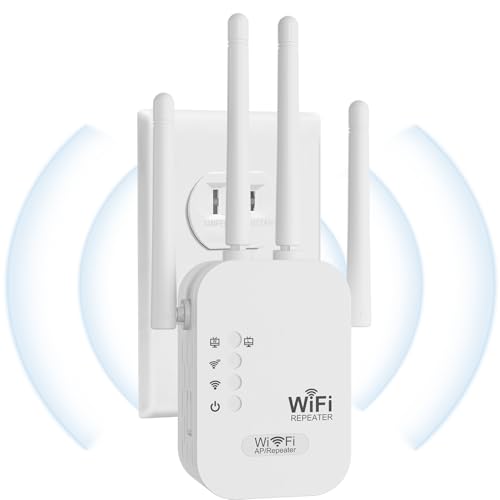
5. Aodcaopul WiFi Extender, WiFi Repeater — Best minimal setup
A plug-and-play single-band repeater for someone who wants zero configuration, at the cost of 5 GHz entirely.
Best for: someone who wants to plug it in and never open an app Skip it if: you need 5 GHz throughput for video calls
The appeal is simplicity. Aodcaopul describes plug and play operation that connects in seconds, with no app and no account. There's an Ethernet port, the finish is Pearl White, and the listing claims support for 40+ devices including phones, laptops, tablets, smart TVs and IP cameras, using WEP, WPA and WPA2 security.
The specification that decides it: the stated high speed is up to 300 Mbps on 2.4 GHz. That's the only throughput figure the listing gives, and 300 Mbps on 2.4 GHz is exactly what the two AC1200 picks quote for their slower band. Both TP-Links and both other budget picks claim 867 Mbps or more on 5 GHz on top of that. So this is functionally the single-band option in a set of dual-band devices. On a crowded floor where every neighbour's router is fighting over 2.4 GHz, that's the harder band to work in.
Published data is the thinnest here. No weight, no dimensions, no model number, and a warranty field reading simply "1" with no unit attached, which I won't guess at. The 9789 sq ft coverage claim sits in the same implausible territory as the nonser figure.
Against the Gorzhesua, which costs slightly more, you lose 5 GHz and gain nothing measurable.
Pros:
- Plug and play setup with no app required
- Ethernet port included
- Claims 40+ connected devices
- Second-cheapest pick in this set
- WPA2 security support
Cons:
- 300 Mbps 2.4 GHz claim only, no 5 GHz figure given
- Warranty listed without a unit, so the term is unclear
- No weight, dimensions or model number published
- 9789 sq ft coverage claim is not credible
- Only one seller lists it
6. Amazon eero 6 mesh wifi add-on extender — Best premium
The only Wi-Fi 6 device here and the only true mesh node, but it will not work unless you already own an eero router.

Best for: anyone who already runs an eero mesh system at home Skip it if: you don't own an eero router, because it won't work
Read the requirement first: eero states that eero 6 extenders require an existing eero network. Buy this without one and you own a paperweight. That single line is why it ranks last despite being the most capable radio in the set.
If you do have eero at home, nothing else here competes. It's the only Wi-Fi 6 pick, adding up to 1,500 sq ft to an existing system, and the only device that joins one network rather than creating a second name you have to switch between. eero cites TrueMesh routing for 4K streaming, gaming and video conferencing, plus automatic firmware updates and app-based setup. It's also the pick buyers choose most often in this set, and it's the only one listed under whole-home mesh rather than repeaters.
Published hardware: 0.63 lb, 2.42 x 3.91 x 3.82 in, model Q010111, released 2020. No warranty term is published, which is a notable gap on the most expensive pick of the six. Only one seller lists it.
For a student moving into a shared house where someone already runs eero, this is the correct answer. For everyone else, it's a dependency you didn't ask for at the highest price here.
Pros:
- Only Wi-Fi 6 device in this set
- Joins one seamless mesh instead of adding a second network name
- 1,500 sq ft of added coverage, app-managed
- Automatic firmware updates
- Compact 2.42 x 3.91 x 3.82 in body at 0.63 lb
Cons:
- Useless without an existing eero router
- No published warranty term
- Most expensive pick in this set
- Only one seller lists it
What the coverage number on the box actually means
Line up the coverage claims across these six and the problem is obvious.
- TP-Link RE315: up to 1500 sq ft, two antennas
- eero 6 extender: up to 1,500 sq ft added, Wi-Fi 6
- TP-Link RE550: up to 2100 sq ft, three antennas
- Gorzhesua: up to 3600 sq ft
- Aodcaopul: up to 9789 sq ft
- nonser: up to 16999 sq ft
The two brands publishing complete specifications, model numbers, dimensions, warranty terms and release years, quote the lowest coverage figures. The listings with the thinnest documentation quote the highest. nonser's number is over eleven times the RE315's, from a device with no published dimensions.
Here's the useful way to read it. Coverage figures come from open-air estimates with nothing between the antenna and the client. A dorm room has cinder block, a steel door, a metal bed frame and thirty neighbours broadcasting on the same channels. Under those conditions, treat any figure above 2500 sq ft as a marketing number rather than an engineering one, and compare the bandwidth split instead. That's the figure with a physical band attached to it, so it's harder to inflate.
Most shoppers pick on square footage. It's the least reliable number in the entire listing.
Which wifi extender for students fits a shared outlet?
Dorm and shared-house outlets are contested. You've got a lamp, a phone charger, a laptop brick and a fan on one strip. So the physical envelope of a wifi extender for students is a real specification, not a footnote, and only three of these listings publish it.
Ranked by published depth, the number that determines whether it blocks the socket beside it:
- Gorzhesua, 1.3 x 3.07 x 2.91 in. The slimmest measured body here.
- TP-Link RE315, 4.89 x 3.5 x 2.05 in, weighing 6.1 oz.
- eero 6 extender, 2.42 x 3.91 x 3.82 in, weighing 0.63 lb. This one sits on a shelf with a cable rather than plugging directly in.
- TP-Link RE550, 2.6 x 6.4 x 3 in, weighing 0.51 lb. That 6.4 in length is the largest single dimension in the set.
The nonser and Aodcaopul listings publish no dimensions and no weight at all. If your outlet situation is tight, that missing data is a reason to skip them rather than a neutral gap. In practice, I'd start with the Gorzhesua if space is genuinely the binding constraint and the RE315 if it isn't.
What more money buys across these six
Six picks, three tiers, and the jumps are not evenly spaced.
At the bottom. The Gorzhesua and the Aodcaopul occupy the two cheapest positions. The Gorzhesua buys you a dual-band 867 / 300 Mbps claim, published dimensions and a 1 year warranty. The Aodcaopul, one step up in price, buys you a 300 Mbps 2.4 GHz claim and no published measurements. That's the one inversion in this set: paying slightly more gets you less.
In the middle. The nonser and the RE315 sit adjacent, with the nonser slightly cheaper. The nonser gives you four antennas and AP mode with a 3 month warranty. The RE315 gives you two antennas, a fast Ethernet port, complete published specifications and 24 months of warranty. That's the clearest value step on this page, and it costs very little.
At the top. The RE550 and the eero 6 extender. The RE550's premium buys a gigabit port instead of fast Ethernet, a third antenna, and 1.9 Gbps of claimed bandwidth against 1.2 Gbps. The eero's premium buys Wi-Fi 6 and true mesh behaviour, conditional on already owning an eero router.
The honest summary: the money that matters most in this category is the step from an undocumented budget repeater to a documented one. Everything above that is refinement.
The verdict
The TP-Link RE315 is the best wifi extender for students, and the reason is documentation rather than raw numbers. It publishes weight at 6.1 oz, dimensions at 4.89 x 3.5 x 2.05 in, a model number, a release year and a 2 year manufacturer warranty, alongside an 867 / 300 Mbps dual-band claim and a fast Ethernet port. Three other picks here publish neither weight nor dimensions. One publishes a warranty of 3 months. Complete data at a mid price beats a 16999 sq ft claim from a listing that won't tell you how big the box is.
Two conditions flip that recommendation. First, if you already run an eero mesh network in the house you're moving into, buy the eero 6 add-on extender instead: it's the only Wi-Fi 6 pick and the only one that extends a single network rather than creating a second name. Second, if you're staying put for four years with a fast connection and want a wired desktop on the far end, the RE550's gigabit port and 1.9 Gbps claim justify the step up, provided you can spare 6.4 in of outlet clearance.
If your budget is genuinely fixed, take the Gorzhesua. It's the cheapest here, publishes real dimensions and carries 12 months of warranty.
FAQ
Is a wifi extender for students worth buying?
A wifi extender for students is worth buying only when the problem is coverage, not speed. TP-Link states in its own RE550 listing that extenders improve coverage and do not increase speed, and that actual speeds will be 50% or less of current speeds. If your signal is strong but slow, an extender changes nothing. If you get one bar in the corner, it helps.
What is the cheapest wifi extender for students here?
The cheapest wifi extender for students in this set is the Gorzhesua 1200Mbps booster, at the first of six price positions. It still publishes dimensions of 1.3 x 3.07 x 2.91 in and a 1 year warranty, which two pricier picks here do not. It claims 867 Mbps on 5 GHz and 300 Mbps on 2.4 GHz, the same split TP-Link quotes for the RE315.
Do I need dual-band or is 2.4 GHz enough?
Dual-band is the safer buy. The Aodcaopul publishes a single figure of up to 300 Mbps on 2.4 GHz, while the RE315, RE550, nonser and Gorzhesua all claim a 5 GHz band on top. In shared housing, 2.4 GHz is congested with every neighbour's router. The 5 GHz band is shorter-range but far quieter, which matters on video calls.
RE315 or RE550: which TP-Link should I pick?
Between the RE315 and RE550, the port decides it. The RE315 has a fast Ethernet port, two antennas and a 1.2 Gbps claim in a 4.89 x 3.5 x 2.05 in body. The RE550 has a gigabit port, three antennas and a 1.9 Gbps claim, but stretches to 6.4 in long and costs more. Choose the RE550 only for a wired desktop on a fast line.
What mistake do first-time extender buyers make?
The mistake first-time buyers make is placing the unit in the dead zone. An extender can only rebroadcast a signal it receives cleanly, so it belongs roughly halfway between the router and the weak spot. Put it in the corner where your phone shows one bar and it will rebroadcast one bar. The second mistake is trusting coverage claims above 2500 sq ft.
Start by walking your room with your phone and noting where the signal actually drops off, then find the nearest outlet on the strong side of that line. That outlet is where your extender goes, and its size determines what fits. For most people in shared housing, the RE315 is the right default because it's the one pick that tells you its warranty term, its exact dimensions and its bandwidth split on both bands, and it gives you a wired port for the one device that needs it most. Buy documented hardware. Coverage claims cost nothing to print.