Best Portable Mouse Pads by Size, Weight and Grip

Six small mouse pads compared on published size, thickness and weight, with a clear winner for backpack duty and honest reasons to pick something else.

By Lamar CalhounUpdated 16 min read
On this page
- Best portable mouse pad for students at a glance
- How I screened this shortlist down to six
- What does portable actually mean for a mouse pad?
- 1. Audimi Small Mouse Pad 6 x 8 Inch — Best overall
- 2. Logitech Studio Series Small Mouse Pad — Best for heavy use
- 3. Niniubye Mouse Pad — Best lightweight
- 4. GZXHS Small Mouse pad — Best compact
- 5. Kinevolve Mouse Pad for Excel/Word/PowerPoint/Windows — Best for families
- 6. AboveTEK Portable Laptop Lap Desk w/Retractable Left/Right — Best premium
- How much surface do you really need?
- Does a printed shortcut pad help or distract?
- What more money buys in this set
- What the listings do not tell you
- The verdict
- FAQ
The best portable mouse pad for students is the Audimi Small Mouse Pad 6 x 8 Inch, because at 2.12 oz and 0.16 x 8 x 6 in it slides into a laptop sleeve without adding noticeable bulk. If you use the same pad every day and want stitched edges plus a wipeable surface, the Logitech Studio Series at 9.1 x 7.9 in is the better buy. The rest of this set splits along one line: how much desk you actually get.
Best portable mouse pad for students at a glance
| Pick | Size | Thickness | Price |
|---|---|---|---|
Best overall Audimi Small Mouse Pad 6 x 8 Inch |
8 x 6 in | 0.16 in | Check Price |
Best for heavy use Logitech Studio Series Small Mouse Pad |
9.1 x 7.9 in | 0.08 in | Check Price |
Best lightweight Niniubye Mouse Pad |
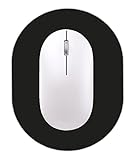
8.7 x 7.1 in oval | 0.12 in | Check Price |
Best compact GZXHS Small Mouse pad |
8 x 6 in | 0.1 in | Check Price |
Best for families Kinevolve Mouse Pad for Excel/Word/PowerPoint/Windows |
11.8 x 9.8 in | 0.1 in | Check Price |
| 14.8 x 9.2 in | 0.6 in | Check Price |





How I screened this shortlist down to six
I compared the published specifications side by side and let the numbers do the sorting. Three figures mattered: footprint, thickness, and stated weight. Everything else, including surface texture and rubber compound, is described by the manufacturer rather than measured, so it informs the write-up but it did not decide the ranking.
Here is the order I worked in.
- Footprint first. Anything with a stated size above roughly 12 in on the long edge stops being backpack gear and becomes desk gear. That left the Kinevolve at 11.8 x 9.8 in as the largest flat pad in the set.
- Thickness second. A pad at 0.08 to 0.16 in rolls or lies flat in a sleeve. The 0.6 in AboveTEK does neither, which is why it sits at the bottom of the ranking despite carrying the longest stated warranty.
- Weight third. Four picks land between 1.65 oz and 5.28 oz by their published figures. That range is small enough that weight rarely breaks a tie on its own.
One note on the search itself. "Students" is not a specification any of these listings publish, so nothing here is built for a student in the way a laptop backpack might be. What I've done instead is judge each pick on the constraints a student actually faces: a shared table, a full bag, and a laptop that travels. Read the picks that way rather than expecting a claim on the box.
What does portable actually mean for a mouse pad?
Portability in this category is not one thing. It's three, and shoppers usually only check the first.
- Packed thickness. This decides whether the pad disappears into a laptop sleeve or fights the zip. The Logitech at 0.08 in is the thinnest here by a clear margin, half the Audimi's 0.16 in.
- Footprint when unrolled. A pad you cannot open on a narrow library table is not portable, it's just small. The 8 x 6 in picks work on almost any surface. The 11.8 x 9.8 in Kinevolve needs real estate.
- Grip on whatever surface you find. Laminate lecture-hall desks, glossy cafe tables and a train tray table all behave differently. Every pick here claims a rubber base, and GZXHS quantifies theirs at about 0.3 mm.
The best portable mouse pad for students balances all three rather than winning one. That's the reasoning behind the Audimi taking the top spot: it isn't the thinnest, the lightest or the largest, but nothing about it forces a compromise you'd notice in a backpack.
1. Audimi Small Mouse Pad 6 x 8 Inch — Best overall
The best all-round travel pad here, because 2.12 oz and a 0.16 in profile buy you a usable 8 x 6 in surface without a packing penalty.
Best for: a slim laptop sleeve and cramped library tables Skip it if: you swing your mouse in wide, fast arcs
The Audimi is the cheapest of the six and still the pick I'd hand most people. At 0.16 in it's the thickest of the flat pads, which sounds like a drawback until you consider what that thickness does on an uneven surface. A cafe table with a seam or a lecture desk with a lip stops mattering. Audimi describes the base as thick, high-grip rubber intended to stop the pad sliding, and the surface as smooth-gliding cloth.
Its published weight of 2.12 oz makes it the second-lightest in the set, behind only the GZXHS on paper. Roll it or lay it flat, and it takes up less sleeve space than a thin notebook. The listing also states it works with wired, wireless, optical, mechanical and laser mice, so a cheap dorm-room mouse won't be a problem.
The trade-off is surface area. An 8 x 6 in window is tight if you play anything at low mouse sensitivity, and the Logitech gives you 9.1 x 7.9 in for the same packed convenience. Only one seller lists this one, and no warranty is published.
Pros:
- Cheapest of the six picks here
- 2.12 oz published weight, sleeve-friendly
- 0.16 in thickness absorbs uneven table surfaces
- Stated compatibility across optical, laser and mechanical mice
- Washable per the listing
Cons:
- 8 x 6 in surface is cramped for low-sensitivity mouse use
- No published warranty
- Only one seller stocks it
- Thicker than every other flat pad here
2. Logitech Studio Series Small Mouse Pad — Best for heavy use
The one to buy if the pad travels every single day, because the edges and surface are built for that mileage.
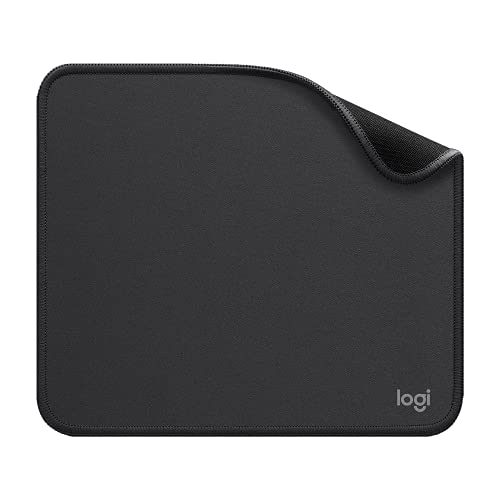
Best for: daily commuters who want stitched edges and a wipeable surface Skip it if: you want the cheapest way to solve a glossy desk
This is the one buyers choose most often here, and the specifications explain why. At 0.08 in it is the thinnest pick in the set, half the Audimi's thickness, and it still measures 9.1 x 7.9 in, so you get more usable area in a thinner package. Weight is listed at 2.6 oz. It's the only pad here with a stated release year, 2021, and one of two with any warranty note at all.
Logitech claims anti-fray flat-stitch edges, a coated spill-repellent surface you can wipe with a damp cloth, and inner layers using recycled polyester. Those first two claims matter more than they sound. The failure mode for a bag-carried cloth pad is a curling, shedding edge, and stitching is the standard defence against it. The base is described as anti-slip natural rubber containing latex, which is worth knowing if latex is an issue for you.
It's the second most expensive pick here, and the warranty wording is vague: you have to request the terms from customer service rather than read a stated term. Two sellers list it.
Pros:
- Thinnest pad in the set at 0.08 in
- 9.1 x 7.9 in surface, larger than three other picks
- Flat-stitch edges claimed to resist fraying
- Coated surface described as spill-repellent
- One of only two picks with any warranty note
Cons:
- Second most expensive pick in this set
- Warranty term is not actually stated
- Base contains latex per the listing
- Thin profile telegraphs uneven tables more than the Audimi
3. Niniubye Mouse Pad — Best lightweight
A rounded 8.7 x 7.1 in pad at 2.08 oz, for anyone who wants more surface than the small rectangles without more bag weight.

Best for: someone who wants a rounded pad that fits a small desk corner Skip it if: you need a published warranty or a rectangular edge to align to
The Niniubye is the lightest pad in this group at a published 2.08 oz, and it's also the most interesting shape. The oval measures 8.7 x 7.1 in at 3 mm, or 0.12 in, thick. That gives you noticeably more diagonal room than the 8 x 6 in rectangles while shaving off the corners that tend to overhang a small table edge or catch on a keyboard tray.
Niniubye describes a fabric surface with a smooth texture aimed at fast mouse movement, and a rubber base with dense anti-slip texturing. The material is listed as natural rubber, described as anti-fray, heat resistant and odourless. Thickness sits neatly between the Logitech's 0.08 in and the Audimi's 0.16 in, which is a sensible middle if you want some cushioning without a raised lip.
Two things hold it back. It's the slowest seller of the six by a wide margin, and no warranty is published. The oval outline also removes the straight edge some people use to line the pad up against a keyboard, which sounds trivial until you're rearranging a shared desk each morning.
Pros:
- Lightest published weight in the set at 2.08 oz
- 8.7 x 7.1 in gives more diagonal room than the small rectangles
- Oval shape avoids overhanging small desk edges
- 0.12 in thickness sits between the thinnest and thickest here
Cons:
- Slowest seller of the six
- No published warranty
- Oval outline gives you no straight edge to align to
- Only one seller lists it
4. GZXHS Small Mouse pad — Best compact
The pick for genuinely tiny spaces, with the thinnest flat profile of the budget pads at 0.1 in.
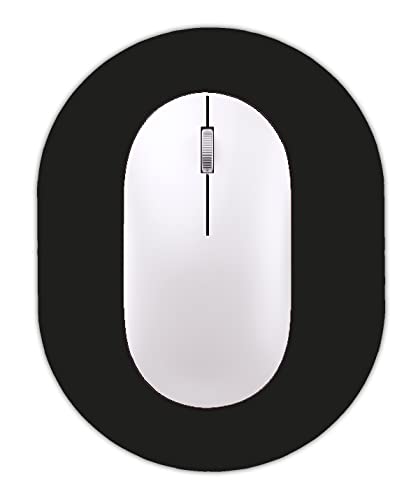
Best for: keyboard trays and airline tray tables Skip it if: your mouse needs more than an 8 x 6 in window
GZXHS is the second-cheapest here and the most explicit about small spaces. The listing quotes an oval of 14.5 x 19.5 cm, or 5.5 x 7.5 in, while the specification block gives an 8 x 6 in size and 0.1 x 8 x 6 in overall dimensions. Read that as a pad in the same footprint class as the Audimi with a slightly thinner build at 0.1 in versus 0.16 in.
The brand quantifies the base more precisely than anyone else in this set: about 0.3 mm of non-slip rubber, described as gripping the tabletop firmly. It also claims a waterproof, easy-clean surface that won't fade after repeated washing, and a natural rubber body described as non-toxic and odourless. Suggested uses in the listing run to laptop trays, keyboard drawers, coffee shops and travel.
Watch the weight figure. It's published as 1.65 lb, which is out of step with the other flat pads at 2 to 5 oz and out of step with a 0.1 in pad this size. I'd treat it as a listing error rather than a real spec, and that uncertainty is a real strike against it. There's also a mismatch between the two stated sizes, no warranty, and a single seller.
Pros:
- Second-cheapest pick in this set
- 0.1 in profile, thinner than the Audimi
- Base thickness quantified at about 0.3 mm
- Surface described as waterproof and fade-resistant
Cons:
- Published weight of 1.65 lb looks inconsistent with the size
- Two different sizes stated in the listing
- No published warranty
- Smallest usable surface class in the group
5. Kinevolve Mouse Pad for Excel/Word/PowerPoint/Windows — Best for families
The largest flat pad here at 11.8 x 9.8 in, printed with Excel, Word, PowerPoint and Windows shortcuts.

Best for: spreadsheet-heavy coursework and shared home desks Skip it if: your bag has no room for an 11.8 in pad
This one earns its place on surface area and on the printing. At 11.8 x 9.8 in it gives you roughly double the working width of the 8 x 6 in picks, and at 0.1 in it stays flat and thin enough to slide into a folder or the laptop compartment of a larger backpack. Published weight is 5.28 oz, the heaviest of the flat pads by a clear margin.
The printed shortcut reference is the differentiator. Kinevolve lists keys for Excel, Word, PowerPoint and Windows, with the printing described as high-resolution and intended to stay legible through cleaning. Stitched edges are claimed to reduce fraying, matching the Logitech on that point. The return window is stated at 30 days for return and exchange, which is the clearest after-sale term in this set.
The catch is portability, the thing this article is about. It's the second-largest item here and the only flat pad you have to plan bag space around. The printing is also permanent: if the shortcuts start reading as clutter, there's no plain side to flip to. One seller lists it, and it's the second-slowest seller of the six.
Pros:
- Largest flat surface here at 11.8 x 9.8 in
- Printed Excel, Word, PowerPoint and Windows shortcuts
- Stitched edges claimed to resist fraying
- 30-day return and exchange stated
- Stays thin at 0.1 in despite the size
Cons:
- Heaviest flat pad at 5.28 oz
- 11.8 in footprint needs deliberate bag space
- Printed graphics can't be turned off
- Second-slowest seller in the group
6. AboveTEK Portable Laptop Lap Desk w/Retractable Left/Right — Best premium
Not a pad at all but a lap desk with a retractable mouse tray, for anyone whose desk is a bed.

Best for: working from a bed, sofa or dorm-room chair Skip it if: you only wanted something flat to slip in a folder
This is the most expensive pick here and the odd one out. It sits in lap desks rather than mouse pads, and its published dimensions of 0.6 x 14.8 x 9.2 in with a 1.98 lb weight put it in a different category of luggage. AboveTEK claims a mouse tray that retracts to either the left or right for handedness, with raised edges to stop the mouse dropping off, plus an anti-slip surface rated for laptops up to 15 in and a heat shield layer described as protecting the laptop from overheating.
I include it because a dorm room often has no usable desk. If your actual working position is cross-legged on a bed, a flat 8 x 6 in pad solves nothing, because there's no stable surface underneath it. This solves the surface problem and the mouse problem together. It also carries the only concrete warranty term here at 12 months.
Understand what you give up. At 0.6 in thick and nearly 2 lb it's the bulkiest thing in this roundup by a wide stretch, it costs the most, and it publishes no size or material spec for the mouse tray surface itself. One seller lists it.
Pros:
- Retractable mouse tray for left or right hand
- 12-month warranty, the only stated term here
- Rated for laptops up to 15 in
- Heat shield layer claimed between laptop and lap
- Solves a bed or sofa setup no flat pad can
Cons:
- Most expensive pick in this set
- 0.6 in thick and 1.98 lb, far bulkier than any pad here
- No published spec for the mouse tray surface
- Overkill if you have any desk at all
How much surface do you really need?
Most guides treat bigger as better. In a bag, bigger is a cost, so the useful question is where the floor sits.
Your mouse sensitivity decides it. Crank the DPI up and you can work comfortably inside 8 x 6 in, which is what the Audimi and GZXHS give you. Run a low sensitivity, the way a lot of gaming and detailed design work does, and you'll clip the edge constantly on a pad that size. That's the cutoff: if you lift and reposition your mouse more than once per screen crossing, go up to at least the Logitech's 9.1 x 7.9 in or the Niniubye's 8.7 x 7.1 in oval.
The other consideration is desk depth, not width. A shared library table often has less room front-to-back than left-to-right, because a laptop eats the depth. The 6 in and 7.1 in depths in this set all fit that gap. The Kinevolve's 9.8 in depth sometimes won't.
Does a printed shortcut pad help or distract?
Only one pick here prints anything functional, and it splits opinion for a reason.
The case for it: keyboard shortcuts are the fastest single upgrade to spreadsheet work, and a reference sitting under your hand beats a browser tab you have to alt-tab to. Kinevolve covers four applications on one surface.
The case against it: printing is permanent, it adds visual noise to a small desk, and once you've internalised the shortcuts you're stuck with a busy pad. A plain black pad like the Audimi never gets in the way.
My rule is simple. Buy printed if you're currently learning a specific application. Buy plain if you're not, because the print is a study aid with an expiry date, not a durable feature.
What more money buys in this set
Across these six, extra spend does not buy a better mouse surface. It buys three other things.
- Edge construction. The Logitech and Kinevolve are the only two claiming stitched edges. On a pad that lives in a bag, that's the part most likely to fail first.
- A stated after-sale term. Kinevolve states 30 days for return and exchange, AboveTEK states 12 months, and Logitech says terms are available on request. The three cheapest picks publish nothing.
- A different form factor entirely. The most expensive pick isn't a better pad, it's a lap desk. That's what the money is actually buying.
What it doesn't buy is a bigger surface. The largest flat pad here, at 11.8 x 9.8 in, is mid-range on price, while the second most expensive flat pick measures 9.1 x 7.9 in. So if surface area is your priority, more spending points you the wrong way.
What the listings do not tell you
A few gaps are worth naming before you buy.
Surface texture is never quantified. Every pick claims a smooth cloth or fabric surface, and none of them publish a weave density or a friction figure, so "fast" and "precise" are the manufacturer's words rather than comparable numbers. Judge by thickness and size, which are stated, not by adjectives.
Rubber base grip is quantified once. GZXHS gives about 0.3 mm; nobody else gives a figure. Two brands specify natural rubber, and Logitech flags latex content in its base.
Washing is claimed by three brands. Audimi says washable, GZXHS says it won't fade after repeated washing, and Logitech describes a coated surface you wipe with a damp cloth. There's no stated cycle count anywhere, so treat washing as a bonus rather than a lifespan guarantee.
The verdict
The Audimi Small Mouse Pad 6 x 8 Inch is the best portable mouse pad for students, and it's the pick I'd default to. At 2.12 oz and 0.16 in it costs you almost nothing in bag space, it's the cheapest of the six, and that extra thickness makes it forgiving on the seamed and uneven tables you actually end up working at. Nothing here beats it on the combination of price, weight and real-world tolerance.
Two conditions flip that. First, if the pad travels every weekday and you've frayed a cheap one before, the Logitech Studio Series is the smarter buy: its flat-stitch edges and coated wipeable surface target exactly that failure, and it delivers a larger 9.1 x 7.9 in surface in a thinner 0.08 in package. Second, if you're mostly working from a bed or a sofa rather than a desk, no flat pad solves your problem and the AboveTEK lap desk does, with a retractable mouse tray and a 12-month warranty.
The Logitech's exact advantage over the Audimi is construction plus area: stitched edges, a spill-repellent coating and 15 more square inches of surface, at the price of publishing no firm warranty term.
FAQ
Is a portable mouse pad worth buying at all?
A portable mouse pad is worth buying if you regularly work on glass, glossy laminate or a bare wooden table, where optical sensors skip and stutter. The rubber base also stops the pad drifting while you work. At 2.12 oz for the Audimi, the bag penalty is negligible. If your usual desks are already matte and grippy, you can skip the category.
What size portable mouse pad should students look for?
The size portable mouse pad students should look for depends on mouse sensitivity. At a high DPI, 8 x 6 in like the Audimi or GZXHS is plenty. At low sensitivity, step up to the Logitech's 9.1 x 7.9 in or the Niniubye's 8.7 x 7.1 in oval. Also measure your desk depth, since laptops eat front-to-back space fast.
Audimi or Logitech: which is the better everyday pick?
Audimi or Logitech comes down to mileage and budget. The Audimi is the cheapest here and its 0.16 in thickness handles uneven tables better. The Logitech is thinner at 0.08 in, larger at 9.1 x 7.9 in, and adds flat-stitch edges plus a coated wipeable surface. Daily commuting favours the Logitech. Occasional use favours the Audimi.
Do these pads work with any mouse?
These pads work with the mouse types their listings name. Audimi states compatibility with wired, wireless, optical, mechanical and laser devices, and Logitech mentions wired, wireless and Bluetooth. Cloth surfaces are generally the safest choice for optical and laser sensors. The exception is a glossy or mirrored surface, which no pad here uses, so sensor trouble is unlikely.
What is the biggest mistake when buying a portable mouse pad?
The biggest mistake when buying a portable mouse pad is choosing on thickness alone and ignoring edge construction. A thin pad packs beautifully and then frays at the corner after a term in a backpack. Only the Logitech and Kinevolve claim stitched edges here. The second mistake is buying an 11.8 in pad, then discovering your bag has no room for it.
Start with your bag and your worst desk, in that order. If both are tight, the Audimi is the safe default, and its low price makes it a cheap experiment if you've never used a travel pad before. If you already know a cheap cloth pad won't survive your commute, spend once on the Logitech's stitched edges and take the larger 9.1 x 7.9 in surface as a bonus. And if the real problem is that your room has no usable desk at all, stop shopping for pads and look at the AboveTEK instead. Matching the pick to the surface you actually work on matters more than any spec here.