Best Hard Mouse Pad for Graphic Designers Work

Seven hard mouse pads compared on surface, size and base grip for design work. The Logitech G440 wins on tracking area, but a glass pad and a metal slab flip the pick under the right desk conditions.

By Lamar CalhounUpdated 16 min read
On this page
- Best hard mouse pad for graphic designers at a glance
- How I cut seven listings down to a ranking
- 1. Logitech G440 Hard Gaming Mouse Pad — Best overall
- 2. XVX Glass Gaming Mouse Pad — Best premium
- 3. HONKID Hard Metal Mouse Pad — Best for heavy use
- 4. Vaydeer Hard Metal Aluminum Mouse Pad — Best compact
- 5. Seihoo Plastic Resin Hard Mouse Pad (small) — Best for families
- 6. Seihoo Plastic Resin Hard Mouse Pad (large) — Most versatile
- 7. Niniubye Mouse Pad — Best budget pick
- What actually decides a hard pad for design work?
- Hard surface, hard truth: none of these are colour-calibrated
- Does a bigger pad help precision work?
- Metal, glass or resin: which surface suits you?
- The verdict
- FAQ
The best hard mouse pad for graphic designers is the Logitech G440, a 13.4 x 11 in rigid pad with a strong polymer core that gives a sensor room to track cleanly across a canvas. If your desk spans two monitors and you sweep wide, the XVX glass pad at 16.2 x 12.2 in is the better buy. One thing to settle first: none of these seven pads is a design tool in the colour sense. Choose on surface feel, footprint and base grip.
Best hard mouse pad for graphic designers at a glance
| Pick | Surface & size | Base | Price |
|---|---|---|---|
Best overall Logitech G440 |
Rigid polymer, 13.4 x 11 in | No-slip rigid base (claim) | Check Price |
Best premium XVX Glass Pad |
Tempered glass, 16.2 x 12.2 in | 1.32 lb weight holds it | Check Price |
Best for heavy use HONKID Metal Pad |
Aluminum alloy, 9.1 x 7.1 in | Washable metal, 7.04 oz | Check Price |
Best compact Vaydeer Metal Pad |
Aluminum alloy, 9.05 x 7.08 in | PU underside, 7.41 oz | Check Price |
Best for families Seihoo Resin (small) |
Resin, 9.45 x 7.87 in | Silicone bottom (claim) | Check Price |
Most versatile Seihoo Resin (large) |
Resin, 11.8 x 9.45 in | Silicone bottom (claim) | Check Price |
Best budget pick Niniubye Marble Pad |
Cloth over rubber, 9 x 8 in | Anti-slip rubber (claim) | Check Price |



How I cut seven listings down to a ranking
I compared the published specifications side by side, then ranked on the three things a designer can actually verify from a listing: surface material, tracking footprint, and how the pad stays put. Three picks got cut down the order for concrete reasons.
Two of them were cut for size. The HONKID and Vaydeer metal pads both measure around 9.1 x 7.1 in. That is a small canvas for someone panning around a large document all day. One was cut for surface: the Niniubye is a cloth mat over rubber, which sits at the soft edge of "hard" and lands as the budget option rather than a rigid pick.
Here is what survived and why:
- Surface decides feel. Rigid polymer, tempered glass, aluminum and resin all track differently under a mouse foot.
- Footprint decides how much you can sweep before lifting.
- Base grip decides whether the pad drifts while you draw a precise curve.
The Logitech G440 leads because it pairs the largest rigid-polymer surface here, 13.4 x 11 in, with a stated no-slip base and a documented 2022 release. It is the pick buyers choose most often in this set, and only two sellers list it. That combination of size, structure and a named warranty is what pushed it to number one.
1. Logitech G440 Hard Gaming Mouse Pad — Best overall
The G440 wins on the one thing a designer feels every hour: a large, rigid surface that gives the sensor clean, consistent texture to read.
Best for: designers who want a large tracking surface with a proven base Skip it if: your desk can't spare 13.4 x 11 in
The G440 is the largest rigid-polymer pad in this set at 13.4 x 11 in, and that footprint is the reason it leads. When you pan and zoom across a big artboard, a wider surface means fewer mouse lifts and steadier strokes. Logitech says the pad uses a hard tracking surface over a strong polymer core, and describes the base as stable, rigid and no-slip. Those are the maker's words, not a measured result, but the design intent lines up with precision cursor work.
It weighs just 3.17 oz, so the grip comes from the base rather than mass. The listing carries a 1-year limited hardware warranty and a 2022 release date, which is more documentation than most picks here offer. It also sits at the most expensive position in this group, and it is a plain black slab with no design-specific surface. What you pay the premium for is size plus a named base and a warranty, not colour accuracy. Against the metal pads, it trades a sleek slab for a bigger, lighter working area.
Pros:
- Largest rigid surface here at 13.4 x 11 in
- Stated no-slip rigid base for steady tracking
- Named 1-year limited hardware warranty
- Documented 2022 release
- The pick buyers choose most often in this set
Cons:
- Most expensive pick here
- Plain black, no design-specific surface
- Light 3.17 oz body relies on base grip alone
- Only two sellers list it
2. XVX Glass Gaming Mouse Pad — Best premium
The XVX is the biggest canvas in the group, a 16.2 x 12.2 in sheet of tempered glass for designers who sweep across two monitors.

Best for: dual-monitor designers who sweep the mouse across a wide canvas Skip it if: you dislike the click and coolness of glass
This is the largest pad here at 16.2 x 12.2 in, and the only one made of tempered glass. GMKWTL describes a micro-etched surface for accurate positioning with ultra-low static and dynamic friction, so the mouse glides fast. Glass feels different from polymer: harder, cooler, and noisier under the feet. If that suits you, the extra width is real estate you will use during long editing sessions.
At 1.32 lb it is the heaviest pick, so it stays planted by mass rather than a gripped base. The listing also states an 18-month warranty, the longest coverage in this set. It sits at the highest price position here, only one seller lists it, and the glossy white Kanagawa print, while striking, offers nothing to colour work. Against the G440, it trades a warmer polymer feel and lower cost for more area and a longer warranty. The click of a glass surface is the honest downside.
Pros:
- Largest surface here at 16.2 x 12.2 in
- Only tempered-glass pad in the set
- Longest coverage at 18 months
- Heaviest body at 1.32 lb resists drift
- Maker claims micro-etched low-friction surface
Cons:
- Highest price position in the set
- Glass feels cool and clicks under the mouse
- Only one seller lists it
- Decorative print does nothing for design accuracy
3. HONKID Hard Metal Mouse Pad — Best for heavy use
The HONKID is a washable aluminum-alloy slab that shrugs off spills and daily abuse better than any soft option.

Best for: someone who wants a washable metal slab that survives daily abuse Skip it if: you need a large sweeping area
HONKID makes this pad from aviation aluminum alloy and says it is waterproof and washable. For a designer whose desk sees coffee, crumbs and long hours, a wipe-clean metal surface is a practical answer. It measures 9.1 x 7.1 in and 0.08 in thick, so it is compact and low-profile, and it weighs 7.04 oz, enough heft to sit still.
The listing states a 1-year warranty, which puts it ahead of the resin and cloth picks on documentation. The maker also claims compatibility with a range of mice including Magic Mouse, useful if you run Apple hardware. The catch is size. At 9.1 x 7.1 in it is small for panning around a large document, so you will lift the mouse more often than on the G440 or the glass pad. It also sits near the top of the price range for a compact footprint. Against the Vaydeer, it is thicker at 0.08 in but nearly identical in area. Choose it for durability, not for canvas.
Pros:
- Waterproof, washable aluminum alloy (claim)
- Named 1-year warranty
- Solid 7.04 oz weight resists sliding
- Maker claims broad mouse compatibility
Cons:
- Small 9.1 x 7.1 in working area
- Premium price for a compact pad
- Only one seller lists it
- Metal surface can feel cold and hard
4. Vaydeer Hard Metal Aluminum Mouse Pad — Best compact
The Vaydeer is the thinnest hard pad here, a 0.04 in metal sheet that slips into a laptop bag and stays firm on a crowded desk.

Best for: tight desks and laptop setups needing a thin, firm surface Skip it if: you want a warranty on paper
At 0.04 in thick, the Vaydeer is the slimmest metal pad in this set, matched only by the resin and glass picks on thinness. Vaydeer builds it from aviation-grade aluminum alloy and describes a double-sided design, so you get two usable faces. The maker claims waterproofing, resistance to deformation and easy cleaning, plus compatibility across laser, optical and mechanical mice.
It measures 9.05 x 7.08 in and weighs 7.41 oz, the heaviest of the small pads, which helps it stay put on a busy surface. Two sellers list it, giving you more than one buying route. The trade-offs are clear. The listing states no warranty, so you have less written protection than the HONKID or Logitech. And like every metal pad here, the footprint is small for spreading out a design workspace. Against the HONKID, it is thinner and a touch heavier, but forgoes the stated coverage. Pick it when desk space and portability matter more than a warranty line.
Pros:
- Thinnest metal pad here at 0.04 in
- Double-sided aluminum design (claim)
- Heaviest small pad at 7.41 oz for grip
- Two sellers list it
Cons:
- No stated warranty
- Small 9.05 x 7.08 in surface
- Cool, hard metal feel not for everyone
- No design-specific surface
5. Seihoo Plastic Resin Hard Mouse Pad (small) — Best for families
The small Seihoo resin pad is a waterproof, wipe-clean surface at an entry price, built for shared or messy desks.

Best for: shared or messy desks where spills happen Skip it if: you want stated edge or base details
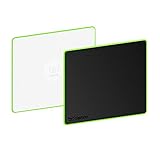
This Seihoo pad measures 9.45 x 7.87 in and is built from a hard black resin over a plastic body. Seihoo describes a three-layer construction with an oxide top layer for a smooth, sensitive surface, and says the mat passed an SGS environmental test with a non-slip silicone bottom and no irritating odor. For a household desk where kids and coffee share the space, a waterproof surface you can wipe with a damp cloth earns its keep.
It weighs 0.64 lb, so it has some heft, and it sits at an entry price position, the third-cheapest here. The listing is thin on detail beyond the material claims: no stated warranty, and the green colourway is the one shown. It offers nothing for colour-critical work, like every pad in this group. Against the larger Seihoo below, this small version simply gives you less area for the same surface. Choose it when spill resistance and a low price outweigh a big canvas.
Pros:
- Waterproof resin surface wipes clean (claim)
- Maker cites SGS environmental test
- Non-slip silicone bottom (claim)
- Entry price position
Cons:
- No stated warranty
- Small 9.45 x 7.87 in area
- Only one seller lists it
- Slowest-selling of the resin pair
6. Seihoo Plastic Resin Hard Mouse Pad (large) — Most versatile
The larger Seihoo gives you a mid-size 11.8 x 9.45 in resin surface at the second-cheapest price, covering office work and casual gaming alike.

Best for: one pad that covers office and casual gaming in a mid footprint Skip it if: you need a hard metal or glass feel
This is the same resin surface as the smaller Seihoo, stretched to 11.8 x 9.45 in. That extra width lands it between the compact metal pads and the big G440, making it the flexible middle ground here. Seihoo repeats the three-layer construction claim, the smooth oxide top layer, the SGS environmental test, and the non-slip silicone bottom with no irritating odor.
It weighs 5.64 oz and is just 0.04 in thick, so it lies flat and takes little desk height. At the second-cheapest position in the set, it is a lot of usable surface for the money. The listing carries no warranty, and the resin feel is smoother and less rigid than aluminum or glass, so if you want that hard slab sensation this is not it. Only one seller lists it. Against the small Seihoo, you get meaningfully more room for the same surface and price tier. It is the pad to pick when you want one flat, cheap, waterproof surface that does a bit of everything.
Pros:
- Mid-size 11.8 x 9.45 in surface
- Second-cheapest pick here
- Thin 0.04 in profile lies flat
- Waterproof resin wipes clean (claim)
Cons:
- No stated warranty
- Resin feel less rigid than metal or glass
- Only one seller lists it
- Slowest seller in this set
7. Niniubye Mouse Pad — Best budget pick
The Niniubye is the cheapest pick here, a stitched-edge cloth mat over rubber for anyone spending the least.

Best for: spending the least while still getting stitched edges Skip it if: you specifically want a rigid hard surface
The Niniubye is the cheapest of the seven and the softest interpretation of "hard" in the group. It measures 9 x 8 in and 0.12 in thick, with a textured cloth surface over a rubber anti-slip base. Niniubye says the stitched edges are anti-fray and the mat is anti-fading and heat resisting, and describes the rubber backing as heavy-grip to stop sliding.
At 3.21 oz it is light, so the grip depends on that rubber base rather than weight. The marble swirl print is a nice touch on a desk, though it does nothing for design accuracy. Be clear on what this is: a cushioned cloth mat, not a rigid plastic, metal or glass surface. If you searched for a truly hard pad, the resin and metal picks above fit better. The listing states no warranty and one seller lists it. Choose the Niniubye only when the lowest price is the deciding factor and you are fine with a soft-surface mat that looks good.
Pros:
- Cheapest of the seven
- Stitched, anti-fray edges (claim)
- Rubber anti-slip base (claim)
- Marble print looks good on a desk
Cons:
- Cloth surface, not a true hard pad
- No stated warranty
- Light 3.21 oz body relies on base grip
- Only one seller lists it
What actually decides a hard pad for design work?
Most guides fixate on friction ratings and gaming DPI. That is not what decides it for a designer. The real deciding criterion is usable surface area paired with a base that will not drift while you draw a slow, deliberate curve.
Here is why the obvious specification misleads. A low-friction surface makes fast flicks easy, but design work often means slow, precise moves, where you want just enough resistance to place the cursor exactly. A tiny pad forces you to lift and reset the mouse mid-stroke, breaking that precision. So area matters more than a friction claim you cannot verify.
- Area first. The G440 at 13.4 x 11 in and the XVX at 16.2 x 12.2 in give you room to work without lifting.
- Grip second. Heavier pads like the 1.32 lb XVX stay put by mass; lighter ones lean on a gripped base.
- Surface feel third. Polymer, metal, glass and resin all differ, and this is personal preference.
Judge those three in order. A friction figure or a "precision" claim is the maker's word, not a measured fact, so weight it accordingly.
Hard surface, hard truth: none of these are colour-calibrated
Since the search here is framed around graphic designers, one point needs saying plainly: a mouse pad is not a colour tool. None of these seven listings claims any colour accuracy, calibration or screen-related benefit, and none could. A pad affects how your hand moves, not what your monitor shows.
So treat "for graphic designers" as a use pattern, not a feature. What a designer needs from a pad is:
- Enough room to pan a large document without lifting the mouse.
- A stable base so precise placement does not slip.
- A surface that suits slow control moves, not just fast flicks.
- Durability for eight-hour days at the desk.
Every claim about "precision" and "accurate control" in these listings is the manufacturer's marketing, and I have attributed it as such throughout. Buy on the physical facts you can check: size, weight, thickness and material. If you need real colour work, that budget belongs in a calibrated monitor, not a mat.
Does a bigger pad help precision work?
A bigger pad helps precision work in one concrete way: it lets you make a full slow stroke without lifting and repositioning the mouse. Every lift is a chance to lose your place, and for detailed vector or photo edits that matters.
Two picks stand out on area. The XVX glass pad is the largest at 16.2 x 12.2 in. The Logitech G440 follows at 13.4 x 11 in. Both dwarf the metal pads, which sit near 9.1 x 7.1 in.
But bigger is not free. The XVX weighs 1.32 lb and takes a wide chunk of desk. If your setup is a laptop on a small table, the 0.04 in Vaydeer or the mid-size 11.8 x 9.45 in Seihoo makes more sense. Match area to your desk, then to your work. On a spacious desk with a large canvas, go big. On a cramped one, a firm compact pad beats an oversized sheet you cannot fit.
Metal, glass or resin: which surface suits you?
Surface material is the most personal call here, and this set covers four kinds. Here is how they break down, so you can pick by feel:
- Rigid polymer (Logitech G440). A firm plastic surface with a described no-slip base. Warmer than metal, forgiving, and the largest rigid option here at 13.4 x 11 in.
- Tempered glass (XVX). The hardest, fastest-feeling surface. Cool to the touch and it clicks under the mouse feet. The maker claims a micro-etched, low-friction top.
- Aluminum alloy (HONKID, Vaydeer). Sleek, waterproof and washable per the makers, with a cool metallic feel. Both are compact at roughly 9.1 x 7.1 in.
- Resin (both Seihoo pads). A hard-but-smooth plastic surface, waterproof and wipe-clean, at entry prices. Less rigid underhand than metal or glass.
If you like a fast, slick glide, glass or resin suits you. If you want a warmer, more controlled feel, the polymer G440 is the safer default. Metal splits the difference and wins on durability. Try to handle any surface before you commit, because none of these facts tells you how it feels under your own hand.
The verdict
Here is the price-tier read. In the premium tier, the Logitech G440 is the winner and the right default. It pairs the largest rigid-polymer surface in this set, 13.4 x 11 in, with a stated no-slip base and a named 1-year warranty, and it is the pad buyers choose most often here. That combination of area, structure and documentation is exactly what a designer feels across a long day.
Also in the premium tier, the XVX glass pad takes the top spot only if you need more room. Its 16.2 x 12.2 in surface is the widest here, its 1.32 lb weight keeps it planted, and its 18-month coverage is the longest in the group. The cutoff is desk width: past a single large monitor, the XVX earns its place; below that, the G440's warmer feel and lower cost win.
In the entry tier, the larger Seihoo resin pad is the value default, giving a mid-size 11.8 x 9.45 in surface at the second-cheapest price. And in the compact bracket, the Vaydeer metal pad is the thinnest at 0.04 in for tight desks. Match the tier to your space first, then to your surface preference.
FAQ
Is a hard mouse pad worth it for design work?
A hard mouse pad is worth it for design work if you want a consistent, wipe-clean surface that survives long hours. Rigid pads like the Logitech G440 give a firm, steady base for slow precision moves. The trade-off is a harder, sometimes cooler feel than cloth. For detailed edits at a fixed desk, that firmness helps more than it hurts.
What is the best value hard mouse pad for graphic designers here?
The best value hard mouse pad for graphic designers in this set is the larger Seihoo resin pad. It offers a mid-size 11.8 x 9.45 in surface at the second-cheapest price, with a waterproof, wipe-clean top the maker says passed an SGS test. It carries no stated warranty, so you trade written coverage for a generous surface at a low price tier.
How big a hard mouse pad do I need for two monitors?
For two monitors you need a hard mouse pad wide enough to sweep across the whole canvas without lifting. The XVX glass pad at 16.2 x 12.2 in is the largest here and suits dual-screen sweeps. The Logitech G440 at 13.4 x 11 in also works for most setups. Measure your free desk width first, since the XVX weighs 1.32 lb and takes real space.
Logitech G440 or XVX glass pad: which should I pick?
Between the Logitech G440 and the XVX glass pad, pick the G440 for a warmer polymer feel, a 13.4 x 11 in surface and a named 1-year warranty at a lower price position. Pick the XVX when you need the extra area, since its 16.2 x 12.2 in glass surface and 18-month warranty lead the set. Glass runs cooler and clicks more under the mouse.
What is the common mistake buying a hard pad for design?
The common mistake buying a hard pad for design is expecting it to improve colour or screen accuracy. None of these seven pads claims any colour benefit, and none could. A pad affects hand movement, not display output. Buy on the checkable facts, size, weight, thickness and material, and put your colour budget toward a calibrated monitor instead of the mat.
Start by measuring the free space on your desk, then match a pick to it. If you have room, the Logitech G440 is the default worth reaching for first: it gives the largest rigid-polymer surface here at 13.4 x 11 in, a stated no-slip base, and the only mainstream warranty in the group at 1 year. That mix of area, structure and documentation is what a designer notices hour after hour, long after a friction claim stops mattering. When space is tight, drop to the thin Vaydeer or the mid-size Seihoo and lose little.