Best 3D Printer for Engineers: Enclosure and Speed

Five listings, one clear default for functional prototyping, and a hard line between open-frame and enclosed machines. Includes the spec that decides whether ABS and PC are even on the table for you.

By Lamar CalhounUpdated 15 min read
On this page
- Best 3d printer for engineers at a glance
- Why three of these listings were nearly cut
- 1. FLASHFORGE Adventurer 5M — Best overall
- 2. BAMBULAB Bambu Lab P1S 3D Printer — Best upgrade
- 3. BAMBULAB Bambu Lab P2S Combo — Best premium
- 4. Entina Tina2C 3D Printer for Kids & Beginners — Best warranty
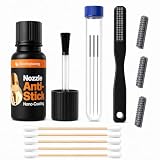
- 5. Slice Engineering 3D Printer Nozzle Cleaning Kit — Best budget pick
- Does the best 3d printer for engineers need an enclosure?
- What the listings will not tell you about engineering-grade filament
- What more money buys across these five
- When a different pick wins
- The verdict
- FAQ
The best 3D printer for engineers here is the Flashforge Adventurer 5M, a 22 lb CoreXY machine with a 280°C direct drive extruder and a 220 x 220 x 220 mm build volume. If your prototypes need ABS, ASA or polycarbonate, the enclosed Bambu Lab P1S is the better buy, because an open frame cannot hold chamber heat. One of these five is not a printer at all.
That last point matters, so read the awards carefully before you click. This set is not for hobbyists printing figurines, and it is not for anyone whose parts exceed 220 mm in any axis. Bed-slinger owners chasing a cheap upgrade should stop here too; nothing in this group is a kit or a bare frame.
Best 3d printer for engineers at a glance
| Pick | Build style | Key spec | Price |
|---|---|---|---|
Best overall FLASHFORGE Adventurer 5M |
Open CoreXY, all metal | 220x220x220 mm 280°C extruder |
Check Price |
Best upgrade Bambu Lab P1S |
Fully enclosed | 39 lb 500 mm/s claim |
Check Price |
Best premium Bambu Lab P2S Combo |
Enclosed + AMS 2 Pro | 2 units in box 50°C chamber claim |
Check Price |
Best warranty Entina Tina2C |
Open mini, assembled | 5.29 lb 2 year warranty |
Check Price |
Best budget pick Slice Engineering Nozzle Kit |
Accessory, not a printer | 10 pieces 300°C rated |
Check Price |




Why three of these listings were nearly cut
Three picks failed my first screen. I kept them anyway, and here is the honest reason for each.
The Entina Tina2C is sold as a machine for kids and beginners. Its own listing says so. A 10 x 8 x 6.5 in body cannot hold a functional bracket, and nothing in its published specifications mentions an extruder temperature high enough for engineering polymers. It survives the cut on one figure only: a 2 year warranty, double what every other printer here publishes.
The Slice Engineering kit is not a printer. It is a 10-piece nozzle cleaning bundle. Including a consumable in a printer roundup usually means the writer ran out of products, and I want to be straight about that. It stays because it is the cheapest item in the set and because a coated nozzle rated to 300°C solves a problem that eats real prototyping hours.
The P2S Combo nearly went for a different reason. Its listed dimensions of 18 x 18 x 22 in describe a shipping box holding two units, so the desk footprint you plan around is a guess until it arrives.
What survived intact: the Adventurer 5M and the P1S. Both publish weight, dimensions, warranty and model number, and both are complete machines out of the carton.
1. FLASHFORGE Adventurer 5M — Best overall
The Adventurer 5M pairs a 280°C direct drive extruder with a CoreXY frame at a mid-range price position, which is the combination that actually shortens a prototyping loop.
Best for: iterating on functional parts fast in a ventilated workshop Skip it if: your parts are taller or wider than 220 mm
Within this set, the Adventurer 5M is the only machine that publishes a specific extruder temperature. 280°C is the number to note. It puts PETG and nylon inside the working range and takes the guesswork out of a spec sheet that otherwise reads like marketing.
Flashforge claims 600 mm/s travel and 20000 mm/s² acceleration from the CoreXY structure, plus a 32 mm³/s high-flow nozzle and a 35-second warm-up to 200°C. Those are the manufacturer's figures, not measured ones. What I can verify from the listing is the physical package: 22 lb, a 17.6 x 15.8 x 14.3 in envelope, and a 220 x 220 x 220 mm cube of build space.
The 3-second detachable nozzle is the feature engineers will use hardest. Swapping between a 0.4 mm nozzle for detail and a wider one for draft parts is normally a cold-and-strip job. The listing says optional sizes are supported.
The trade-off is the frame. It is not enclosed, so ABS and ASA warping is your problem to solve, and it is the third-cheapest of the five rather than the outright bargain.
Pros:
- Highest published extruder temperature in this set at 280°C
- All-metal CoreXY frame, not a bed-slinger
- 3-second nozzle swaps with optional sizes
- Lightest full-size printer here at 22 lb
- Mid-range price position, not premium
Cons:
- No enclosure, so heat-sensitive polymers warp
- 220 mm build cube is the smallest of the three full machines
- Only one seller lists it
- Warranty is one year, half the Entina's
2. BAMBULAB Bambu Lab P1S 3D Printer — Best upgrade
The P1S is the only machine here with a fully enclosed body and a published filament compatibility list, which is what puts ABS, ASA and PC on the table.

Best for: prototyping in ABS, ASA, PA or PC Skip it if: you need carbon or glass fibre reinforced filament
Bambu Lab publishes something no other listing in this set does: a graded filament table. PLA, PETG, TPU, PVA, PET, ABS and ASA are listed as ideal. PA and PC are listed as capable. Carbon and glass fibre reinforced polymers are explicitly not recommended. For an engineer, that last line is worth more than any speed claim, because it tells you where the machine stops.
The enclosure is the reason those materials appear at all. A sealed 15.3 x 15.8 x 18 in chassis holds ambient heat around the part, and ABS shrinkage during cooling is the single most common cause of a cracked prototype.
At 39 lb this is the heaviest pick here, nearly double the Adventurer 5M. That mass is doing work: rigidity is what lets the claimed 500 mm/s and 20000 mm/s² acceleration produce a usable part rather than ringing. Bambu Lab says setup takes 15 minutes.
The trade-off against the Adventurer 5M is money and reach. The P1S sits in the premium tier, it ships without the AMS so multi-material is an extra purchase, and its listing never states an extruder temperature.
Pros:
- Only fully enclosed single-printer pick here
- Published filament grading, including what to avoid
- Heaviest and most rigid frame at 39 lb
- Automatic bed levelling, 15-minute setup claim
Cons:
- No published extruder temperature figure
- Premium price position, second-dearest of the five
- Multi-colour needs an AMS bought separately
- Fibre-reinforced filament is ruled out by the maker
3. BAMBULAB Bambu Lab P2S Combo — Best premium
The P2S Combo is two units in one box, printer plus AMS 2 Pro, and it is the only pick here that puts multi-material printing in reach without a second order.

Best for: multi-material assemblies and soluble-support prototypes Skip it if: single-colour functional parts are all you print
The count on this listing is 2, and that number is the whole argument. You get the P2S and the AMS 2 Pro together, in grey, under a 1 year manufacturer warranty. Every other printer in this set ships as a single unit.
Multi-material matters more to engineers than multi-colour marketing suggests. Soluble support in PVA lets you print internal geometry that would otherwise need a redesign, and a second material means overmoulded grips and living hinges in one job.
Bambu Lab claims an Adaptive Airflow System that balances cooling against heat retention, and specifically cites maintaining a 50°C chamber. It also claims up to 600 mm/s. Both are the manufacturer's numbers. What I can confirm is that the published 18 x 18 x 22 in dimensions cover the packaged pair, not the installed footprint, so measure your bench generously.
This is the most expensive pick here, and it sells faster than three of the other four in this set. The trade-off is straightforward: if your prototypes are single-material, you are paying for a feeder you will leave idle.
Pros:
- Ships as two units, printer plus AMS 2 Pro
- Only multi-material-ready pick out of the box
- Claimed 50°C chamber for heat-retaining materials
- Enclosed design with adaptive airflow
Cons:
- Most expensive pick in this set
- No published weight, so bench loading is unknown
- Listed dimensions describe the packaged pair
- No stated extruder temperature or build volume
4. Entina Tina2C 3D Printer for Kids & Beginners — Best warranty
The Tina2C carries a 2 year warranty, double every other printer here, in a 5.29 lb body that fits on a bookshelf.

Best for: a first machine at home, or STEM teaching Skip it if: you need engineering polymers or parts over a few inches
Read the product name before anything else. This is sold for kids and beginners, and its own listing leads with a 3000+ model library and 20+ creative DIY modules. That is not a prototyping tool, and I am not going to pretend otherwise.
What it does own outright is the warranty column. 2 year coverage, against one year on the Flashforge and both Bambu Lab machines. For a machine bought as a teaching aid or a second printer for a shared space, longer cover on a low outlay is a reasonable trade.
The physical figures are the other honest attraction: 5.29 lb and a 10 x 8 x 6.5 in body. That is a quarter of the Adventurer 5M's mass, which means it moves between a desk and a cupboard without a second pair of hands. Entina lists auto-levelling, a flexible magnetic build plate, a self-cleaning nozzle, and both 2.4 GHz WiFi and TF card offline printing.
It is also the slowest seller among these five. The trade-off is capability: no published extruder temperature, no enclosure, and a build area that rules out most functional parts.
Pros:
- Longest warranty here at 2 year cover
- Lightest pick at 5.29 lb, 10 x 8 x 6.5 in footprint
- Fully assembled with auto-levelling
- Offline TF card printing plus WiFi
Cons:
- Marketed for kids and beginners, not engineering work
- No published extruder temperature or build volume
- Open frame rules out ABS and ASA
- Slowest seller of the five
5. Slice Engineering 3D Printer Nozzle Cleaning Kit — Best budget pick
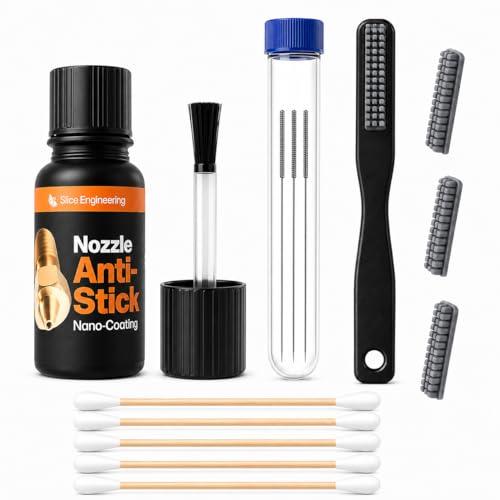
This is a 10-piece nozzle cleaning bundle rated to 300°C, not a printer, and it belongs on the bench next to whichever machine you buy.
Best for: keeping an existing hotend clean between prints Skip it if: you do not already own a printer
Let me be direct: buying this instead of a printer gets you nothing. It is the cheapest item in the set because it is a consumable, and it is the only pick from the accessories category rather than the printer category.
The engineering case for it is specific. Slice Engineering says the brush-on nano-coating creates an anti-stick barrier so molten plastic releases cleanly instead of building into blackened residue, and that plastic debris hanging off the nozzle is a leading cause of first-layer peel-off. Those are the maker's claims. The verifiable numbers are a count of 10 and a 300°C rating.
That temperature figure is the one to check against your machine. 300°C clears the Adventurer 5M's stated 280°C extruder with headroom. Slice Engineering lists compatibility with brass, hardened steel and ruby tips, and with V6, MK8, Bambu, Prusa, Voron and its own hotends, across PLA, PETG, ABS, nylon, TPU and PC.
The trade-off is that it solves a maintenance problem, not a capability one. Two sellers list it, and application takes a cool nozzle plus a 60-second dry.
Pros:
- Cheapest pick here, and a 10-piece count
- Rated to 300°C, above the Adventurer 5M's 280°C
- Claimed 100+ applications per bottle
- Works across brass, hardened steel and ruby nozzles
Cons:
- Not a printer, so it cannot stand alone
- Requires a cooled nozzle and reapplication
- Slowest-moving item in this set by a wide margin
- No published warranty
Does the best 3d printer for engineers need an enclosure?
The enclosure is the single line that splits this field, and it is the one specification I would not compromise on if your parts are structural.
Here is the reasoning in order:
- Engineering polymers shrink as they cool. ABS, ASA and polycarbonate shrink most.
- Uneven cooling across a tall part means uneven shrinkage, which means layer separation or a warped base.
- An enclosed chamber slows and evens that cooling. An open frame cannot.
- Bambu Lab lists ABS and ASA as ideal on the P1S and cites a 50°C chamber on the P2S. Neither open-frame pick here makes any such claim.
So the split runs clean. The two Bambu Lab machines are enclosed. The Adventurer 5M and the Tina2C are not.
Does that make the Adventurer 5M wrong? No, and this is where the obvious answer misleads. Most prototyping is PLA and PETG for form and fit, where an open frame is fine and better airflow actually helps bridging. Its 280°C extruder is the highest published figure in this set, which covers PETG and nylon comfortably.
The rule I would apply: if more than a third of your prints are in ABS, ASA or PC, buy enclosed. Below that, buy the faster frame and the cheaper price position.
What the listings will not tell you about engineering-grade filament
Four things are missing from these listings, and each one is a question worth asking before you commit.
- Extruder temperature. Only the Adventurer 5M publishes one, at 280°C. Both Bambu Lab listings are silent, and so is the Tina2C. Without that number, nylon and PC compatibility is a claim, not a specification.
- Build volume. The Adventurer 5M states 220 x 220 x 220 mm. No other printer here publishes one at all. If your part is 250 mm long, only one listing lets you check.
- Bed material and hardened components. Fibre-reinforced filament chews soft nozzles. Bambu Lab explicitly does not recommend carbon or glass fibre on the P1S, which at least answers the question honestly.
- Noise and ventilation. No listing here states a decibel figure. ABS printing wants extraction, and an office desk is the wrong place for it.
The pattern to notice: the cheapest printer and the dearest printer both publish the least. The Adventurer 5M publishes the most measurable figures of the five, which is a real part of why it takes the top spot.
What more money buys across these five
Moving up this set buys three things, in this order.
At the entry end, you buy a working machine and little else. The Tina2C gets you 5.29 lb, auto-levelling, WiFi and a 2 year warranty. The Slice Engineering kit at the very bottom is not a machine at all.
In the middle, you buy frame quality and a published temperature. The Adventurer 5M's step up over the Tina2C is a CoreXY all-metal structure instead of an open mini chassis, a 280°C extruder, a stated 220 mm build cube and 3-second nozzle changes. That is the biggest single jump in capability per unit of money anywhere in this group.
At the premium end, you buy the chamber and then the feeder. The P1S adds the enclosure and a filament grading table for 39 lb of rigidity. The P2S Combo adds the AMS 2 Pro on top, taking the count in the box to 2.
What you never buy with more money here is a longer warranty. The cheapest printer has the longest cover at 2 year, and all three others publish one year.
When a different pick wins
Four situations flip my recommendation, each with a threshold you can check tonight.
- Your part exceeds 220 mm in any axis. The Adventurer 5M is out on its published build volume. None of the others publish one, so you need the maker's page before ordering.
- More than a third of your prints are ABS, ASA or PC. Buy the P1S. The enclosure is the whole reason.
- You need two materials in one part. Only the P2S Combo ships ready for that, with the AMS 2 Pro in the box.
- A single failed print costs you more than a bottle of coating. Add the Slice Engineering kit to whichever machine you choose. At 300°C rated and 10 pieces, it clears the Adventurer 5M's extruder ceiling.
One more, less obvious: if this printer will live in a school or a shared makerspace where nobody owns it, the Tina2C's 2 year warranty and 5.29 lb weight matter more than any speed claim.
The verdict
If you prototype mainly in PLA and PETG, buy the Flashforge Adventurer 5M. It is the only pick here that publishes an extruder temperature, 280°C, and a build volume, 220 x 220 x 220 mm, and it delivers a CoreXY all-metal frame at a mid-range price rather than a premium one. At 22 lb it is also the lightest full-size machine of the three, which matters when a bench gets rearranged.
If more than a third of your work is ABS, ASA or polycarbonate, buy the Bambu Lab P1S. Its exact advantage is a fully enclosed 15.3 x 15.3 x 18 in chassis plus a published filament grading table that tells you where the machine stops, including its own admission that fibre-reinforced polymer is not recommended. At 39 lb it is the most rigid frame in the set.
The cutoff is that one-third figure. Below it, the open frame's better airflow and lower price position win. Above it, warping will cost you more parts than the price gap ever saves.
The P2S Combo earns the premium slot only if you genuinely need two materials in one print. The Tina2C wins on warranty alone. And the Slice Engineering kit is a bench accessory, not an alternative to any of them.
FAQ
Is the best 3d printer for engineers worth buying over a cheap hobby machine?
The best 3D printer for engineers is worth the step up when your parts have to fit, load or seal. A hobby mini like the Tina2C publishes no extruder temperature and no build volume, so PETG and nylon are unverified. The Adventurer 5M's stated 280°C and 220 x 220 x 220 mm cube let you check compatibility before you order rather than after.
What does an enclosure actually change on a 3D printer?
An enclosure actually changes how evenly a part cools. Slower, more uniform cooling reduces the shrinkage that cracks ABS, ASA and polycarbonate layers apart on tall prints. Bambu Lab lists ABS and ASA as ideal on the enclosed P1S and cites a 50°C chamber on the P2S. Neither open-frame pick here makes a comparable claim.
P1S or Adventurer 5M for functional prototypes?
P1S or Adventurer 5M comes down to material. The P1S gives you the enclosure, 39 lb of rigidity and a published filament grading table for heat-sensitive polymers. The Adventurer 5M gives you a stated 280°C extruder, a 220 mm build cube, 3-second nozzle swaps and a mid-range price. Choose the P1S for ABS, the Flashforge for PLA and PETG.
Can these printers handle carbon fibre filament?
These printers handle carbon fibre unevenly, and only one listing is honest about it. Bambu Lab explicitly lists carbon and glass fibre reinforced polymer as not recommended on the P1S. The other three publish no guidance either way. Abrasive filament needs a hardened nozzle, and no printer listing here confirms one is fitted as standard.
What is the most common mistake buying a 3D printer for engineering work?
The most common mistake is buying on speed claims instead of build volume and material range. A 600 mm/s figure is the manufacturer's number and means nothing if your 250 mm bracket does not fit the bed. Check the published build volume first, the extruder temperature second, and treat every speed claim as marketing until proven.
Start with the part you need next week, not the printer. Measure its longest axis, name its material, and the choice narrows immediately: a 250 mm bracket in PLA points at build volume, a small ABS enclosure points at the P1S. That is why the Adventurer 5M makes the best default here. It is the one listing that publishes both figures you need to make that call, at a mid-range price rather than a premium one, and it leaves you money for filament and a bottle of nozzle coating.